Key takeaways
- Organisations often run several websites, and the work multiplies quietly: one site falls behind on updates and becomes the weak point.
- A good plan covers updates tested on a staging copy, backups with tested restores, security, monitoring, premium licences, performance, editor support and documentation.
- With several sites, keep one inventory, share plugins and settings where you can, roll updates out one site at a time and report on all sites together.
- Good maintenance is small, regular and documented, so emergencies become rare.
One organisation, several websites
Many organisations run more than one website: a main site, a site for each country or office, and a separate platform for a programme or campaign. Each one needs updates, backups and care, and the work multiplies quietly. Without a plan, one site falls behind on updates and becomes the weak point that breaks, or is broken into.
From our work: IEEP
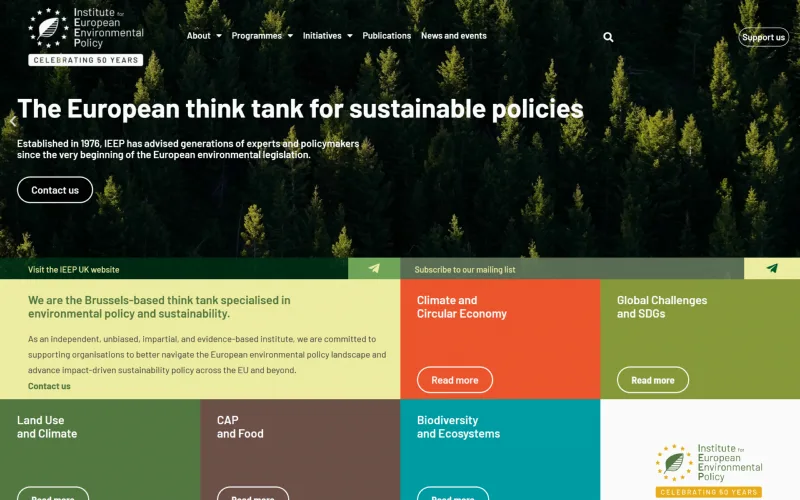
We maintain the WordPress websites of the Institute for European Environmental Policy: ieep.eu for its EU work, ieep.uk for IEEP UK, and think2030.eu for Think2030, its science-policy platform for a more sustainable Europe. The sites are built with Elementor Pro and JetEngine on WordPress. Read the IEEP case study.
What a maintenance plan should cover
| Task | What good looks like |
|---|---|
| Updates | WordPress, the theme and plugins updated on a schedule, tested on a staging copy first, with a way back if something breaks. |
| Backups | Automatic daily backups kept away from the server, and a restore actually tested from time to time. |
| Security | Unused plugins and users removed, two-factor sign-in for admins, and roles that match what each editor does. |
| Monitoring | Uptime and certificate expiry watched, with alerts going to a person, not to an inbox nobody reads. |
| Premium licences | Every paid plugin and theme listed with its renewal date and the account it belongs to. |
| Performance | Page speed checked after updates, with images and caching kept in order. |
| Editor support | A clear way for staff to report problems and ask for small changes, with agreed response times. |
| Documentation | How each site is built and run, kept current, so anyone can pick it up, including a new host. |
What changes when there are several sites
- Keep one inventory of all sites, domains, plugins and licences.
- Share what can be shared: the same core plugins and settings where possible, so one update routine fits every site.
- Update one site first, check it, then roll the change out to the others.
- Watch the smaller sites as closely as the main one; they are the ones that usually fall behind.
- Report on all sites together, so the organisation sees one picture.
A steady rhythm
- 1Every week: check for updates, apply them on staging, then on the live sites.
- 2Every month: test a restore on one site, taking the sites in turn.
- 3Every month: a short report with updates done, incidents, uptime and licence renewals coming up.
- 4Every quarter: review which plugins are still needed, the PHP version and site speed.
Next step
Agree the terms in a software maintenance and support contract, prepare any hosting move with the technical audit and handover checklist, review the web application security checklist, or contact us to talk about maintaining your sites.
Frequently asked questions
How often should WordPress plugins be updated?
Check for updates at least once a week, apply security fixes quickly, and test larger updates on a staging copy before the live site.
Do I need a staging site?
For any site that matters, yes. A staging copy lets you test updates and changes without risking the live site, and it makes problems cheap to find.
Should several sites share one maintenance contract?
Usually yes: one inventory, one routine and one report cost less and miss less. Set response times per site, according to how important each one is.
What does WordPress maintenance include?
Updates, backups with tested restores, security, uptime and certificate monitoring, licence renewals, speed checks, support for editors and up-to-date documentation.